Recent Posts

Showing posts with label For Beginners. Show all posts

Monday, August 20, 2012

Hack I.P address of your friends computer with an easy to use service provided by SpyPig.com

Hack I.P address of your friends computer with an easy to use service provided by SpyPig.com

by The Hackers Paradise on Friday, March 18, 2011 at 10:17pm ·
1)Go to SpyPig.com

2)Enter your email address. [address which is used to notify you when your message has been read]

3)Enter your message title.[for eg. your friends name]

3)Select your tracking image.

You can select the white background picture so that your friends doesn’t know that you are tracking him.[you can also upload your own images as well but needs registration]

4)Number of notifications to receive.

Select this according to your wish.[10 recommended]

5)Click  the Activate button.Once the image is generated, you have 60 seconds to copy paste the same in your email and send the email.If you are using Firefox then click and drag the tracking image and drop it into your email. Don't use your right-mouse click to copy the image.

6)Once you have copied the image in the email,send it within 60 seconds so that you itself is not tracked.

Problem with this image tracking service is that if your friend is using Gmail,then he will have to click  “Display images below” button for your tracking code to work properly. So make sure you are sending him some sort of images or e-cards so that he needs to click that button to read your mail.

 gmail chat ip address


When your friend reads the email, you will receive a notification from spypig about the time when it is read and also your friends IP address :).This technique can be used for identifying  your Gtalk,yahoo messenger,msn messenger or any other chat messenger friends IP address so that you can know exactly where they live or if they are faking their real identity.

finding ip address of my friend

Tuesday, August 14, 2012


1)install Xchat you can download it hear...

2)install the xchat..if you dont know how to install just go to YOUTUBE and see "how to install xchat"

3)after installation is completed.. add it in to windows firewall as a trusted file..(because you will be use a seperate port to open.. so this will not allow to open it when it is not in the firewall)

4)after completing the process start the xcat

5)in top of the left side corner you can see some menu

6) in the menu go to Xchat ---> Network List

7)fill the boxes which are enables you to type in to it..

8) just click "add" button and type "evilzone" --> click someware else and click "evilzone" again and click edit...

9)if you click edit you can see "newserver/6667" edit it like this "irc.evilzone.org/6667".. and click someware else and click "irc.evilzone.org/6667" again...and click close...

10)click "evilzone" again and click "connect"

so now you are in the "irc.evilzone.org"'s IRC channel... So now lets join to our channel

11)after login to IRC and click the text box which is in the botom of the window near to yor nickname in side of the box type "/join #malware"

so now you are in the srilankans H4ck3r's IRC clan..in this clan you can discuss anything about hackings and security all are good but dont try to be a noob just do the self study first and if you didnt got the answer just post the doubst..

after you join to it admins will tell you the rules and regulatins

thank you
[LuCif3r] :)

Thursday, August 9, 2012

How To Hack Into Someone's PC Through IP

Here is a procedure of How To Hack Into Someone's PC Through IP when the victim is in your network and you know his/her IP.

Note: This video is for educational purposes only.

Software Used: Angry IP Scan

see the video demonstration below


Tuesday, August 7, 2012

useful website to learn python!!


hello ! friends today i am gonna tell you a good website to learn python... even a noob can understand the basics of it.

About Python

Python is a remarkably powerful dynamic programming language that is used in a wide variety of application domains. Python is often compared to Tcl, Perl, Ruby, Scheme or Java. Some of its key distinguishing features include:
  • very clear, readable syntax
  • strong introspection capabilities
  • intuitive object orientation
  • natural expression of procedural code
  • full modularity, supporting hierarchical packages
  • exception-based error handling
  • very high level dynamic data types
  • extensive standard libraries and third party modules for virtually every task
  • extensions and modules easily written in C, C++ (or Java for Jython, or .NET languages for IronPython)
  • embeddable within applications as a scripting interface
click hear to the site!!

Monday, August 6, 2012

setup darkcomet RAT for hack a computer

STEP 1:
First, go to the official website of Darkcomet, here. And click on "Download", like on this picture.
[Image: darkcomet1.png]

STEP 2:
After clicking "Download", choose the version of DarkComet that you want on the following image, I choose DarkComet FWB 3.2.
[Image: darkcomet2.png]

STEP 3:
Check all before downloading.
[Image: darkcomet3.png]

STEP 4:
After starting DarkComet you must accept the "Terms and condition".
[Image: darkcomet4.png]

STEP 5:
Now, let Darkcomet aside for a moment, You need to register No-IP, by clicking here.
After completing your registration form, you must go on "Manage Hosts".
[Image: darkcomet5.png]

STEP 6:
Now click on "Add a Host".
[Image: darkcomet6.png]

STEP 7:
After clicking "Add a Host" you must choose a "Hostname".
[Image: darkcomet7.png]

STEP 8:
Now you'll need to download "No-IP Dynamic Update Client v3.0.4" but in first, choose your "Operating System".
[Image: darkcomet8.png]

STEP 9:
Now that you've chosen your "Operating System"you can download.
[Image: darkcomet9.png]

STEP 10:
Now, you'll need to install No-IP.
[Image: darkcomet10.png]

STEP 11:Now, choose the install location and click on "Next >".
[Image: darkcomet11.png]

STEP 12:
Now, choose start menu folder, and click on Install.
[Image: darkcomet12.png]

STEP 13:
Now you will configure No-Ip, start it and enter your E-mail address & password entered on No-IP.org.
[Image: darkcomet13.png]

STEP 14:
Now you must select you Host, check you Host and click on Save.
[Image: darkcomet14.png]

STEP 15:
It's OK, you can start up DarkComet 3.2 FWB. Now you must add server socket.
[Image: darkcomet15.png]

STEP 16:
Now you edit your server, you will choose the "Server module (634,50 KB)".
After clicking on "Server module (634,50 KB) a window called "Server Editor - Installer version <3.0.2>" will appear.

[Image: darkcomet16.png]

STEP 17:
Now you start to edit the server.
[Image: darkcomet15.png]

STEP 18:
Now, must enter your No-IP and test it, if the message is green, it's OK.
After, you can click on "Build module".

[Image: darkcomet18.png]

STEP 19:
Now, you can create the server, save it, and open it.
[Image: darkcomet19.png]

STEP 20:
By opening your server, if it worked,a message at the bottom right of your screen will appear.
[Image: darkcomet20.png]


Here is the final result.
[Image: darkcomet21.png]
This is a test, therefore, by following this tutorial you created a single server, I'll let you customize to your liking.
I spent a long time, so if you could vote for the topic and give me a reputation point if I am worth it, it would be cool!
I hope help.

Thank's in advance,

XxHaTeD-RaTeDXx & [LuCiF3r]

Tuesday, July 24, 2012

1337 (leet) language for hackers who are using facebook

Hi Mates !
if you Love 1337 then its a Good News for you, Facebook officialy Launched H4X0R's Language (Hackers1337 (leet speak).
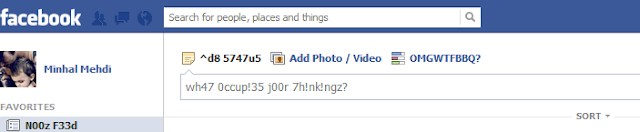
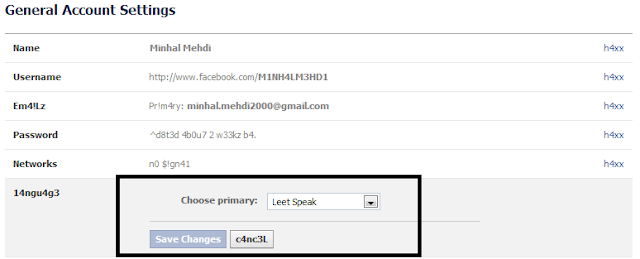
1337.png (703×145)

How to apply 1337 On your Facebook ?
1- Login to your Facebook account
2- Goto account setting
3- search for language Option
4- now set it to "1337 speak
you've done !
if you want to use Facebook in your old language then set it to English (US) again
how+to+hack+facebook+account.png (774×313)

enjoy :)

Hex Editing to make Trojans & viruses Undetectable-Basic Guide

You may not be familiar that what is hex editing and also you may not be familiar that how can we use this technique to hide our viral program or a Trojan. Many of you may know other ways of hiding virus too like using public cyptors which will also be posted here soon. Many of you also asked that how to hide a Trojan or your created server in key loggers so that the antivirus of the victim may not identify the virus and he may not get warned. So, I will surely like to tell my readers that how the hackers make it possible and how can you be fooled by hackers too as they may fool your antivirus, So, its necessary that you should have this knowledge as the view of security.

What is Hex editing?

Hex editing is a method to hide miscellaneous programs containing viruses and Trojans from a specific antivirus. Here I used the word specific because its actually up to you that for which antivirus you want to hex edit it. so, that the particular antivirus may not catch the virus. Now if the Trojan is popular and the viral code is old then its sure that every latest updates of the all antiviruses may contain the information about that Trojan as well as virus. So, here comes into play the hard work which is just from you. In hex editing those part of codes in the program are removed which are cause of the virus detection or altered to some other coding which may not be present in antivirus definition as viral code. So, using this scheme we can easily bypass the required antivirus.

How to do Hex Editing?

Now in order to find that particular viral code which is present in the antivirus definition as the viral code we have to split our Trojan into many parts. And after that separate those parts which on scan again show virus as an alert in antivirus. Now, again we have to split those parts and thus this scheme is repeated until we find exact part and after that we will need a hex editor the edit the specific code. e-g xx is present in antivirus definition as viral code we shall change it into xy so that antivirus may not detect it. After this we shall again combine all the pieces back into a single executable file. So what we are going to need?
  • A unpacked trojan server (Your Virus)
  • File Splitter (Download File Splitter here)
  • Hex Editor (Download Open Source Hex Editor here)
Using  the splitter distribute the infected program into small parts and then scan every part, when a part is detected as virus again distribute that in a new folder and then scan every part and do this until you get smallest part which contains piece of viral code which can be recognized by antivirus. Edit that piece or pieces in hex editor and change the value of first line to 0, like I did:-
hex
and then re scan that part if you get alert of virus again then do the same with next line and save it and then scan hope after that the alert won’t occur. Now, rebuild those parts by the “File splitter builder exe” given in every folder where you have split a file and then move on like this and start merging parts by the exe given of file splitter for every part which you have distributed in the same folder where you have split any part. And then scan your Trojan in the end and hope it will not be detectable. I’ll explain all this in detail someday. Its enough for today.